
From Spreadsheets to Stunning Reports: Why Excel Dashboards Don't Scale (And What to Do About It)
75% of enterprises report Excel limitations in enterprise scalability. For teams struggling to transform data into polished PDF reports and share them reliably, the problem isn't just inefficiency, it's that Excel was never designed for this job.

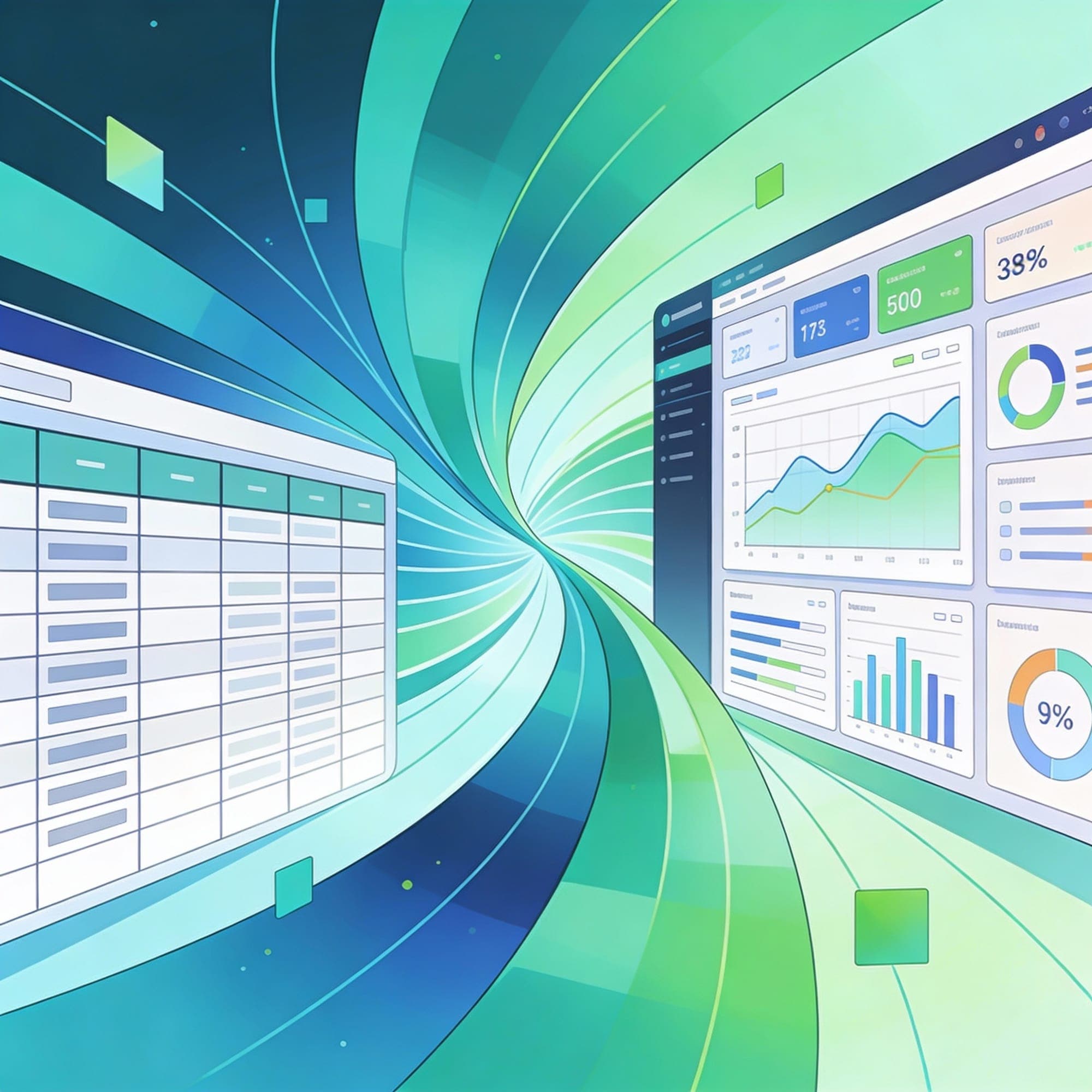
Every data professional knows the feeling. You're drowning in Excel spreadsheets. Raw data scattered across tabs, pivot tables that take forever to refresh, and stakeholders waiting for that PDF report that took hours to manually format. The question isn't whether Excel works for reporting, it's how long you can keep pretending it's scalable.
Here's the hard truth: 75% of enterprises report Excel limitations in enterprise scalability. For teams struggling to transform data into polished PDF reports and share them reliably, the problem isn't just inefficiency, it's that Excel was never designed for this job.
Why Excel Can't Keep Up With Your Data
Excel is exceptional at many things. Personal budgeting, quick calculations, basic analysis, it's perfect. But the moment you scale dashboards and try to automate report generation, Excel's architectural limitations become a business problem.
The Real Numbers:
When datasets exceed 1 million rows, Excel refresh times average 25 minutes, compared to seconds in optimized systems. For complex workbooks with pivot tables and linked formulas, crash rates reach 18%, eating up hours in data recovery and frustration. Over 22% of large-scale analyses encounter data truncation due to Excel's hard row limit of 1,048,576 rows per worksheet.
But the performance issues are just the beginning. Formula fragility is a silent killer, studies show that 15% of calculations contain errors when datasets exceed 500,000 rows. These aren't intentional mistakes; they're the result of Excel's volatile functions like OFFSET and INDIRECT that force full workbook recalculations on minor changes. One broken formula cascades through dependent cells, and suddenly your report is full of unreliable data.
The cost compounds when teams work together. Version conflicts waste 4.5 hours per week per team on manual reconciliations in shared Excel environments. Co-authoring supports only basic edits in Excel Online, meaning complex dashboards either lock files or create conflicting versions. Collaboration breakdowns affect 35% of shared Excel files due to overwrite risks when multiple team members edit simultaneously.
The Real Problem: Excel Dashboards Don't Automate
Let's talk about what happens when you try to turn Excel data into a polished PDF report that you need to generate monthly, or worse, weekly.
Creating a dashboard in Excel requires technical skill. You need to understand pivot tables, VLOOKUPS, conditional formatting, and chart customization. Even for power users, a dashboard design is complex and error-prone. But the bigger issue? It's not designed to automate.
Here's a typical workflow for creating and sharing an Excel-based report:
- Manual data entry or copy-paste from various sources (errors already creeping in)
- Building pivot tables to summarize data (30 minutes to several hours)
- Creating charts with the chart wizard (time-consuming customization, limited design options)
- Formatting the report to look professional (hours of manual tweaking)
- Exporting to PDF using macros or manual print-to-PDF (often breaks formatting)
- Sharing via email, OneDrive, or SharePoint (version control nightmare)
Do this process repeat every month, and you've spent hundreds of hours on something that could be automated.
The customization options are particularly limiting. Unless you're an Excel wizard, you're stuck with what the chart wizard offers. Formatting constraints mean your PDF reports rarely look as polished as stakeholders expect. Real-time updates? You'll need a developer to connect Excel to a database and build complex refresh logic, something most teams don't have capacity for.
Collaboration Chaos and Governance Gaps
For organizations with distributed teams, Excel reporting becomes a governance nightmare. There's no built-in audit trail, so you can't track who changed what or why. Shadow analytics proliferate, teams create their own versions of dashboards because the "official" one is outdated or doesn't meet their needs.
This lack of centralized control leads to inconsistent data across the organization. One department's dashboard uses different data definitions than another's, leading to conflicting reports presented to leadership. According to Gartner, 40% of organizations experience production failures from Excel-based analytics, including audit failures due to unverifiable formulas and hidden logic.
The security risks are substantial too. Spreadsheets shared via email or stored on cloud drives are vulnerable. Password-protected Excel files can be compromised with free third-party tools, and there's no way to restrict access based on user roles. If sensitive financial or customer data is in your Excel dashboard, the risk is real.
How Teams Currently Handle Excel Report Generation (And Why It's Still Not Enough)
Organizations are aware of Excel's limitations, and they've developed workarounds. Here's how teams currently tackle the challenge of turning data into PDFs:
Workaround 1: VBA Macros and Office Scripts
The most technical solution involves writing VBA macros in Excel or Office Scripts in Microsoft 365. Teams create macros that:
- Format data automatically
- Generate charts programmatically
- Export workbooks as PDFs with a single button click
- Distribute reports via email
The limitation: VBA requires skilled developers. It's time-consuming to build and maintain. Adding a new data source or changing the report format means rewriting code. For non-technical teams, this approach is simply out of reach.
Workaround 2: Power Automate and Microsoft 365 Integration
Larger organizations with Microsoft 365 licenses use Power Automate to orchestrate Excel-to-PDF workflows. The approach:
- Data updates trigger an automated flow
- Power Automate reads the Excel file
- A connector tool (like Muhimbi) converts Excel to PDF
- The PDF is saved to SharePoint or emailed to stakeholders
This is more scalable than macros, but it still requires setup by someone with technical expertise. The process isn't intuitive for business users who just want to generate and share reports.
Workaround 3: Manual HTML/CSS or Python Scripts
Some data teams use Python with libraries like pandas, xlsxwriter, and plotly to automate report generation. They:
- Read data from Excel or databases
- Generate formatted reports programmatically
- Create charts and visualizations
- Export as PDFs
The challenge: This requires Python expertise. It's overkill for business users who should be able to create reports without coding.
Workaround 4: Upgrading to Traditional BI Tools
Many enterprises invest in Power BI, Tableau, or Looker:
- Power BI pricing starts at $10/user/month but requires Microsoft ecosystem integration
- Tableau is powerful but has a steeper learning curve and higher enterprise costs
- These tools handle scalability, automation, and collaboration beautifully
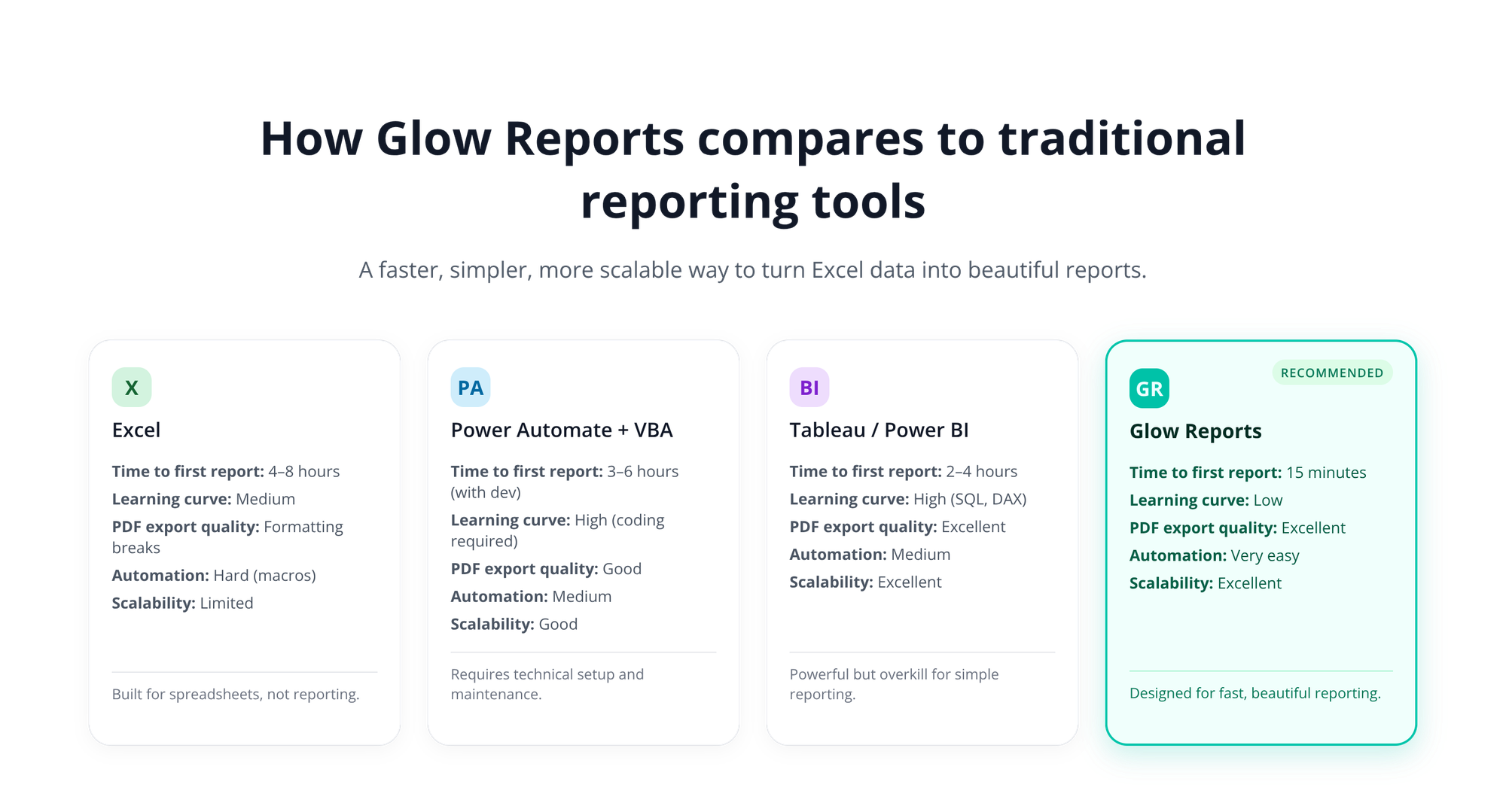
The tradeoff: These solutions are expensive, require implementation time, and often feel over-engineered for teams that just need better dashboards and PDF reports. The learning curve means adoption takes months.
Why These Workarounds Fall Short
None of these solutions are accessible to the average business user. They require either technical skills (VBA, Python, Power Automate) or enterprise budgets (Tableau, Power BI). So if you are looking for a solution that:
- Works with Excel data directly (no data migration needed)
- Automates report generation without coding
- Creates professional, visually appealing reports
- Handles PDF export seamlessly
- Scales as your data grows
- Enables non-technical users to be self-sufficient
This is where the next generation of AI-powered reporting tools is making an impact.
A Better Way: AI-Powered Report Generation
The evolution of business intelligence in 2025 centers on one key insight: reporting shouldn't require a data scientist or a $100K annual license.
Why AI-Powered Solutions Change the Game
Modern AI-driven reporting tools like Glow Reports are specifically designed to bridge the gap between raw data and polished reports. Here's how they work differently:
1. Direct Excel Integration
Connect your Excel spreadsheets, CSVs, or spreadsheet-based data sources directly. No data migration, no IT involvement. Your data stays where it is, and the tool generates reports on top of it.
2. AI-Powered Chart Generation
Instead of struggling with Excel's chart wizard, describe what you want to visualize. AI understands intent and generates appropriate charts automatically, bar charts for comparisons, trend lines for time series, heatmaps for correlation analysis. Professional formatting is automatic.
3. Intelligent Report Templates
The tool learns from your data structure and suggests report layouts. Drag-and-drop sections, add filters, customize colors, all without code. Create once, reuse thousands of times.
4. Instant PDF Export
One click converts your report to a pixel-perfect PDF. Formatting issues that plague Excel-to-PDF exports are eliminated. Your reports look professional every time.
5. Automation and Scheduling
Generate reports automatically on a schedule. Weekly sales dashboards, monthly financial reports, daily performance summaries, all generated without manual intervention. Share directly via email or embed in your systems.
6. Scalability Without Compromise
Handle millions of rows of data without slowdowns. Real-time data updates mean your reports always reflect current information. No more waiting 25 minutes for a pivot table to refresh.
7. Collaboration and Governance
Teams can create, edit, and share reports through a centralized platform. Audit trails track every change. Role-based access controls ensure the right people see the right data. Shadow analytics disappear because everyone has access to reliable, governed reports.
The Business Impact
Organizations switching from Excel dashboards to AI-powered reporting tools see immediate results:
- Time savings: Reports that took 4 hours to create and format now take 15 minutes
- Accuracy: Automated generation eliminates manual data entry errors
- Frequency: What was a monthly report can now be generated daily
- Consistency: Every report follows the same template and quality standards
- Accessibility: Non-technical users can create reports without IT support
- Cost: Faster reporting means analysts focus on insights, not formatting
One financial services firm cut report generation time by 80% after switching to AI-powered tools. Instead of manually compiling monthly reports, analysts now spend time on strategic analysis. Leadership gets real-time insights instead of reports that are outdated by the time they arrive.
How Glow Reports Solves the Excel Reporting Problem Specifically
Glow Reports is purpose-built for this exact problem. It's designed for teams and individuals who:
- Work with data in Excel, Google Sheets, or CSV files
- Need to generate PDF reports regularly
- Want professional dashboards without learning SQL or Python
- Can't justify the cost or complexity of enterprise BI tools
- Want to share reports securely with stakeholders
The workflow is straightforward:
- Connect your data source (Excel, CSV, database, API)
- Select the metrics and dimensions you want to report on
- Design your report using AI-suggested layouts or custom templates
- Generate professional PDFs instantly
- Share via email, embed in your website, or download for presentations
- Automate for recurring reports
What took hours in Excel now takes minutes. What required technical expertise is now accessible to everyone. Reports that broke during sharing are now reliable and governed.
The Future of Reporting Is Here
The days of wrestling with Excel formulas and spending hours formatting PDFs are ending. Businesses that still rely on Excel for dashboards and reporting are losing competitive advantage, not because Excel is bad, but because better tools have emerged specifically for this use case.
Your options:
- Keep struggling with Excel – Continue spending hours on manual formatting and dealing with scalability issues
- Invest in enterprise BI – Power BI or Tableau might be overkill if you just need better dashboards
- Use AI-powered reporting – Get the benefits of modern BI without the complexity or enterprise price tag
Ready to Transform Your Data Into Stunning Reports?

See how quickly you can generate professional reports from your Excel data. No credit card required.
Key Benefits You'll Experience:
✓ Transform Excel data into beautiful dashboards in minutes
✓ Automate recurring reports so they generate themselves
✓ Create professional PDFs that actually look polished
✓ Share reports securely with role-based access controls
✓ Scale from hundreds to millions of rows without slowdowns
✓ Empower your team to create reports without technical skills